 VisitFlow
Visitor registration for iPad and iPhone
Register visitors without cloud, without servers, without data leaks.
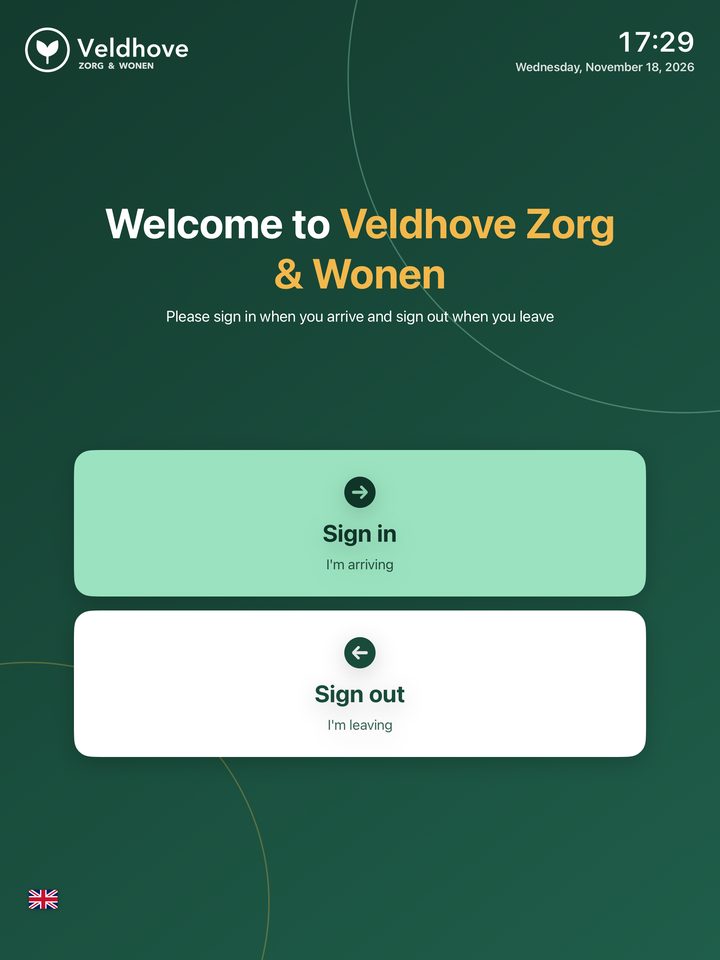
VisitFlow works fully offline. Visitors sign in and out on an iPad at the front desk, and their data stays on that one device. Nowhere else.
Coming soon to the App Store Why this is safer
Free to use. Pro for your own branding: €1.99 per month, first month free.
Security
What isn't online can't leak
Many visitor systems store the names of all your visitors in the supplier's cloud or on their servers. If that gets hacked, your data is exposed. With VisitFlow, no such central place exists.
No internet needed
Sign-in, sign-out, admin, export and automatic clean-up all work without a connection. No visitor data ever travels over the internet.
No server, no cloud
There is no central database of ours to hack. The data lives only on your iPad, encrypted by iOS, and is not included in iCloud backups.
We store nothing
We receive no personal data at all: no names, no account, no analytics. That's why no data processing agreement is needed.
Admin behind a code
The admin code is stored encrypted in the Keychain. Five wrong attempts trigger a lockout, and every attempt is logged.
Names shielded
The sign-out screen shows only "Sanne V.". Full names and organisations are visible only in the admin area.
Automatic clean-up
Registrations disappear after the retention period you choose (90 days by default). You never keep more than you need.
How it works
Signed in within seconds
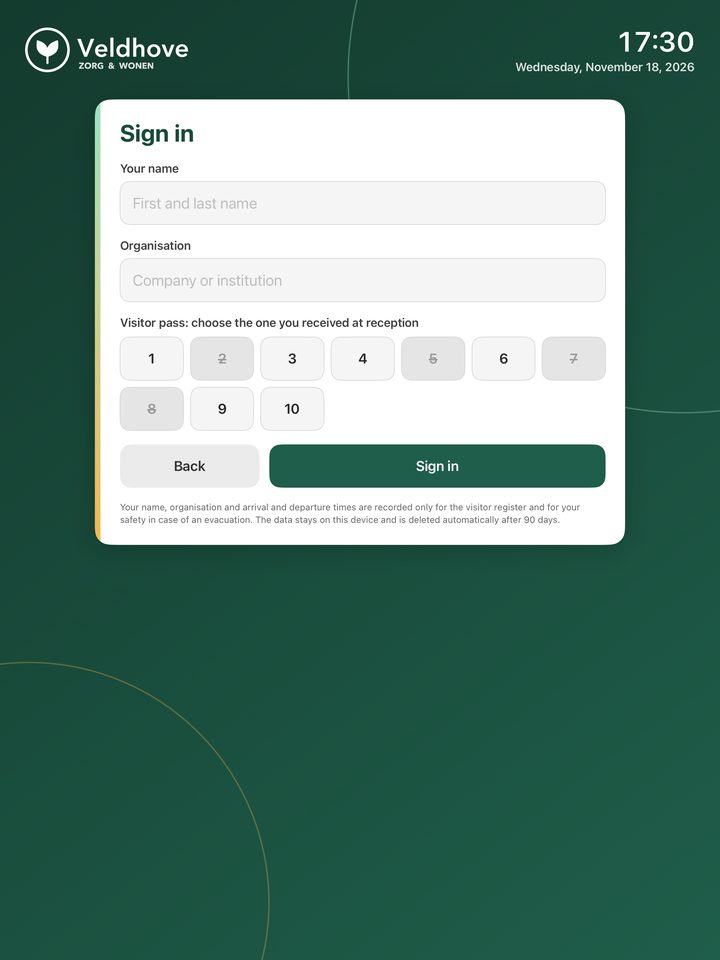
Name, organisation and the number of the pass handed out at reception. Date and time are recorded automatically.
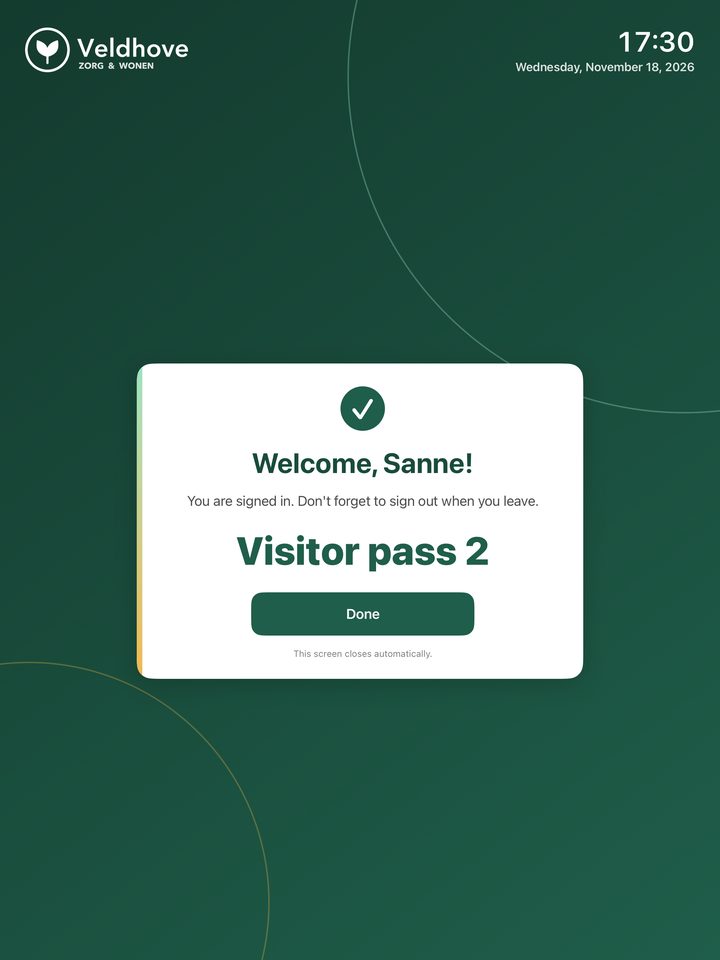
A clear confirmation with the pass number. The screen closes by itself.
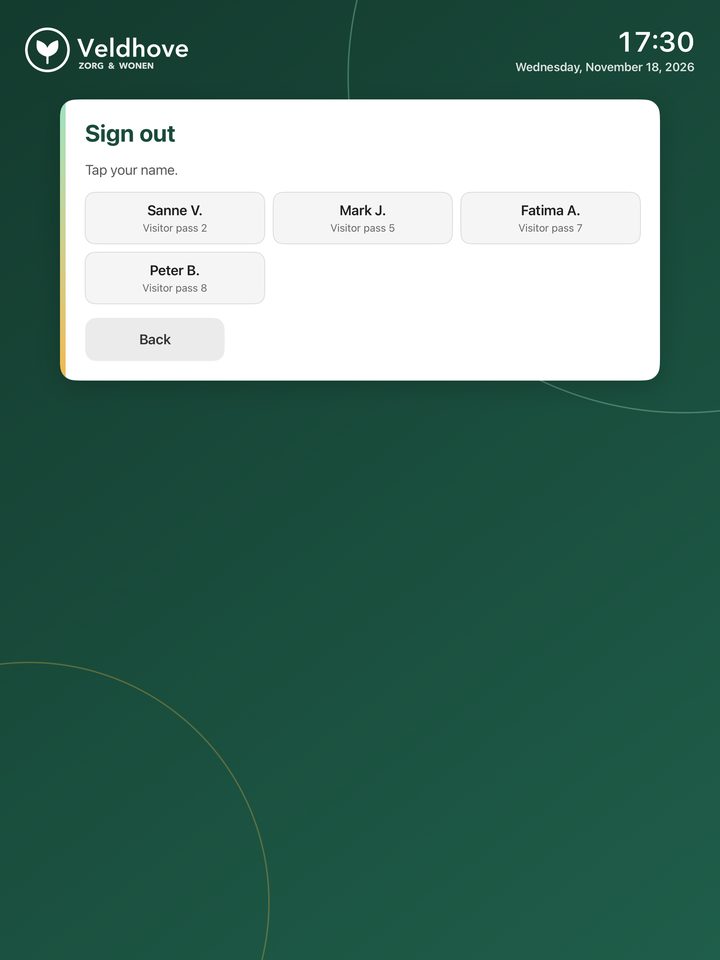
Tap your name when leaving. Forgot? It happens automatically at the end of the day.
For every visitor
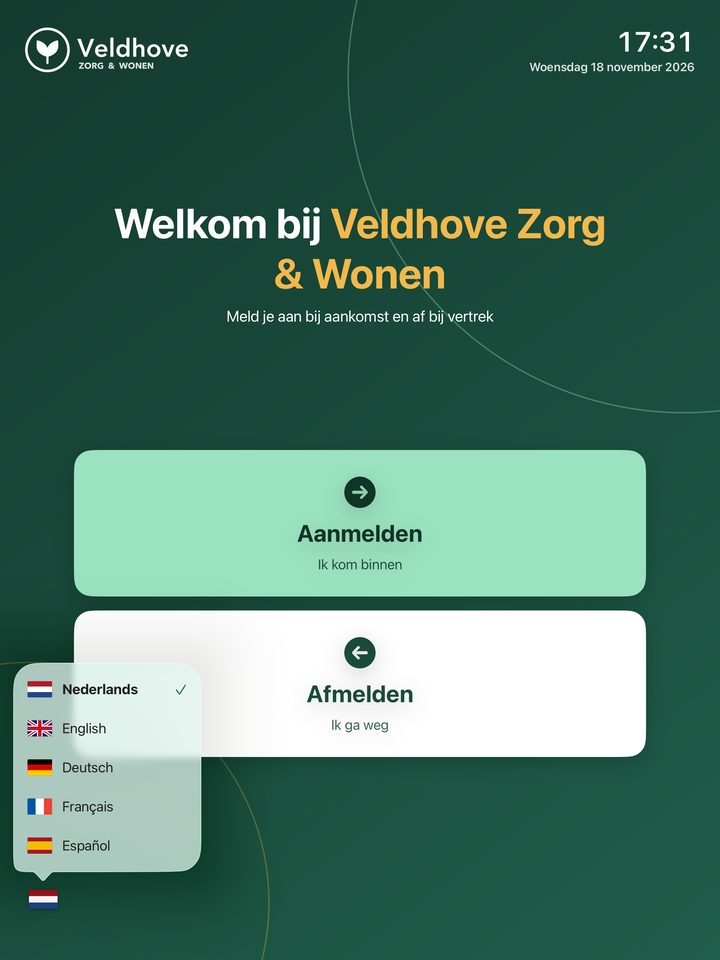
Five languages, one tap on the flag
Visitors choose English, Dutch, German, French or Spanish. Once they're done, or after 90 seconds without touch, everything returns to the default language for the next visitor.
A real kiosk
With iOS Guided Access the iPad stays in the app. The screen stays on, everything returns to the start after a minute and a half, and the admin area opens only with the code.
Handy for reception
- Evacuation list in one tap: who is on site right now, on screen, printed or as a PDF on the fire warden's phone
- Hand out passes or keys; numbers in use can't be chosen
- Export to Excel via Mail, AirDrop, Files or OneDrive
- Log of all admin actions, exportable too
- With Pro: visitors accept house rules or an NDA, with an on-screen signature
Standards and law
Supports ISO 27001 and the GDPR
VisitFlow supports controls for physical entry (A.7.2), secure authentication (A.8.5), logging (A.8.15), information deletion (A.8.10) and protection of personal data (A.5.34). An app cannot be certified itself; certification applies to your organisation's management system.
Your organisation is the data controller. Because we receive no personal data, we are not a processor and no data processing agreement is needed.
Pricing
Start free, go Pro for your own branding
Free
€0
- Sign in and out with date and time
- Organisation name on screen
- Up to 10 numbered passes
- Admin code, lockout and log
- Export of registrations and log
- Evacuation list (print or PDF)
- Choice of retention period
- Five languages for visitors
Pro
€1.99 per month
or €19.99 per year · first month free
- Everything in Free
- Your own logo
- Your own colours, automatically readable
- Your own welcome text
- Unlimited passes and keys with custom names
- Visitors accept house rules or an NDA, with signature
- Share the setup between iPads
- Without the "Made with VisitFlow" footer
Security and legal features are always free. Prices shown for the Netherlands; local prices apply elsewhere. Payment via your Apple account.
Frequently asked questions
Does it really work without internet?
Yes. A connection is only needed now and then to download the app and to start or renew Pro, via Apple. Visitor data never travels over the internet.
What if the iPad breaks or gets lost?
The data is encrypted and cannot be viewed without the iPad passcode and the admin code. It is deliberately not in the cloud, so export regularly for your own records.
I forgot the admin code.
There is deliberately no back door, not even for us. Delete and reinstall the app; the data will be lost. Keep the code in a password manager.
Can I use several iPads?
Yes, each iPad keeps its own registration; visitor data is deliberately not shared between devices. With Pro you can share the setup (logo, colours, passes and house rules) via AirDrop so all iPads look the same.
How do I cancel Pro?
In Settings on your iPad, under your name, Subscriptions. The app keeps working as the free version.
Another question? Email support@visitflow.website.